Connect Codex
Add AgentTx to the OpenAI Codex CLI with one command or a few lines of config, then verify it.
Codex is OpenAI's coding agent for the terminal. You can connect AgentTx with one command, or by adding three lines to a settings file.
Before you start
- AgentTx is installed and
agenttx --versionworks (overview). - Codex is installed and you have signed in (run
codexonce).
Step 1 — Add AgentTx
Option A: one command
Terminal
codex mcp add agenttx -- agenttx mcpOption B: edit the settings file
Open ~/.codex/config.toml in a text editor (create it if it doesn't exist) and add:
TOML
[mcp_servers.agenttx]
command = "agenttx"
args = ["mcp"]
Save the file. Both options do exactly the same thing.
Step 2 — Check the connection
Terminal
codex mcp listagenttx should be listed with the command agenttx mcp:
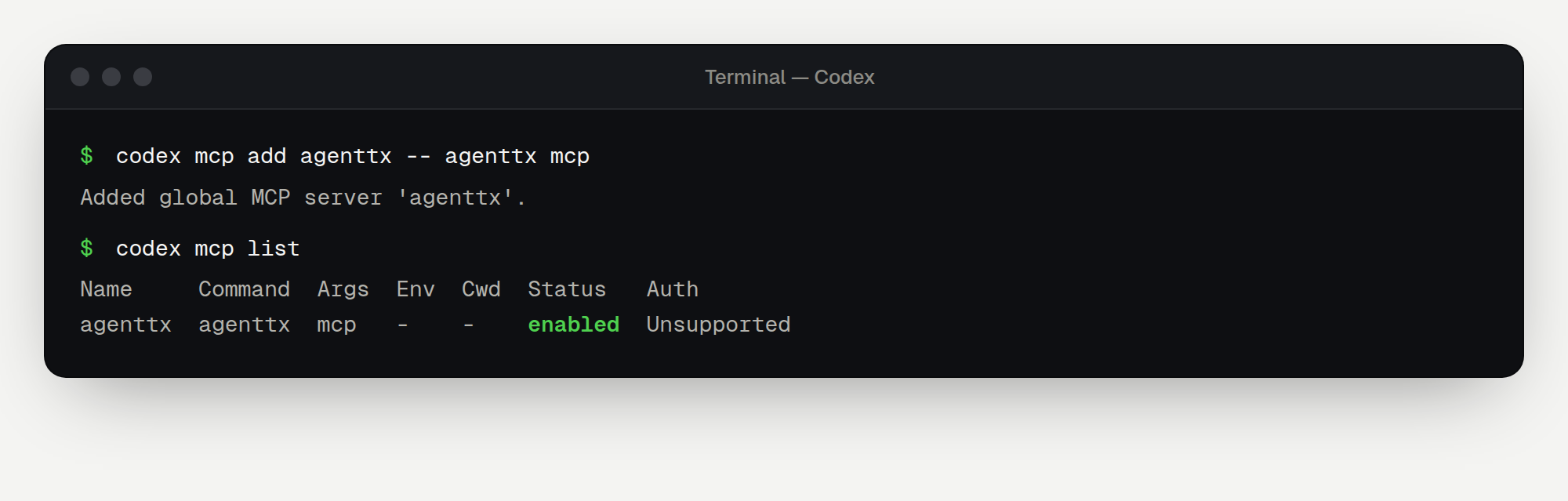
Inside Codex, you can also type /mcp to see AgentTx and its tools.
Step 3 — Ask Codex to use AgentTx
Start Codex:
Terminal
codexThen paste:
Text
Use the AgentTx MCP tools for this task. Begin a transaction, save the customer id
"c-404" with kv.put, then create invoice "inv-1" for that customer with
record.insert (reference customer_id to the customers table).
If AgentTx rolls back, follow its hint, then commit the transaction.
Codex may ask you to approve each tool call. Approve the AgentTx calls, then follow along in Your first safe task.
Remove AgentTx
Terminal
codex mcp remove agenttxHaving trouble?
See Troubleshooting.